Sankey Diagrams
Install:
dotnet add package MatPlotLibNet
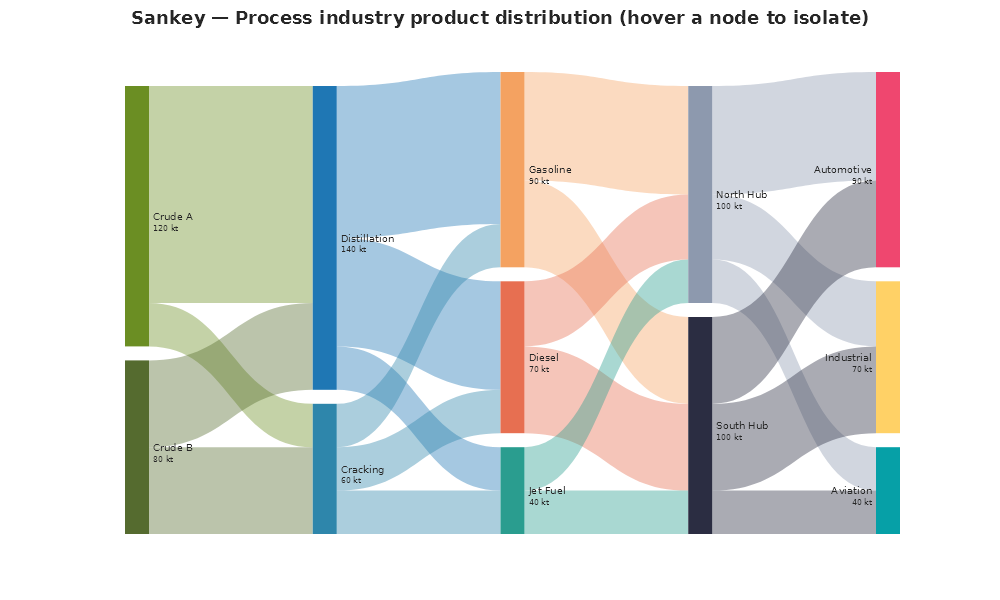
.WithSankeyHover() enables ECharts-style focus: adjacency. When you hover a
node, the chart dims every link that is not reachable upstream or downstream
from that node, so the selected flow chain stands out. The nodes are keyboard
accessible: each node has tabindex="0", so Tab moves the focus from node to
node. You can set the dim opacities on the theme with
WithInteractionTheme(new InteractionTheme(SankeyDimLinkOpacity: 0.04, SankeyDimNodeOpacity: 0.2)).
Process industry distribution (5-column cascade)
Plt.Create()
    .WithTitle("Sankey — Process industry product distribution")
    .WithSize(1000, 600)
    .WithSankeyHover()
    .AddSubPlot(1, 1, 1, ax => ax
        .HideAllAxes()
        .Sankey(nodes, links, s =>
        {
            s.NodeWidth = 24;
            s.NodePadding = 14;
            s.Iterations = 20;
            s.LinkColorMode = SankeyLinkColorMode.Gradient;
        }))
    .Save("sankey.svg");
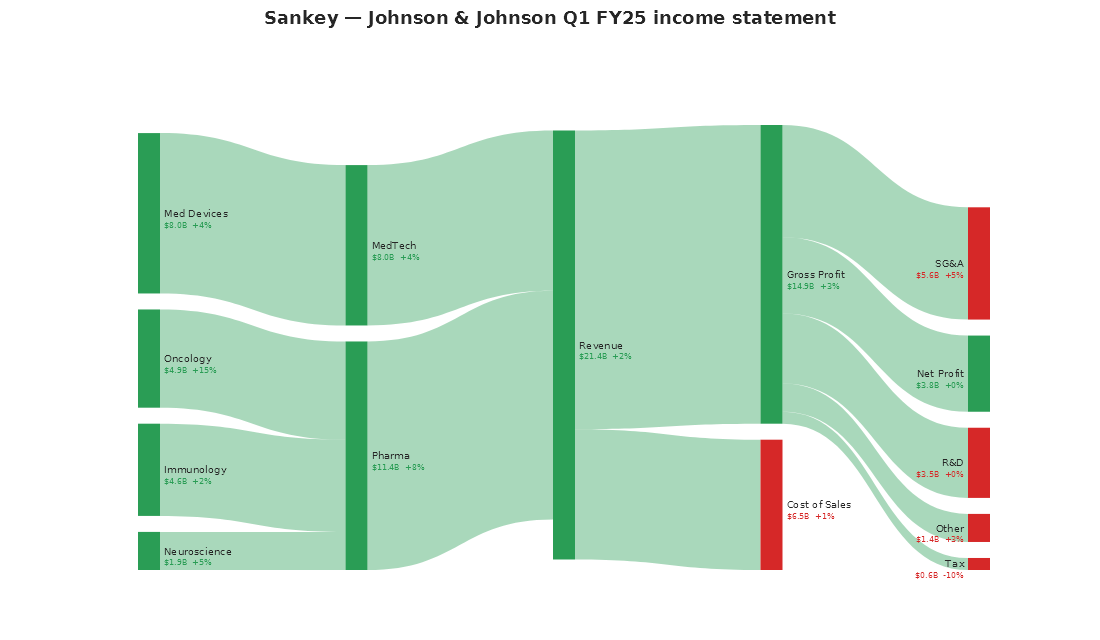
Income statement (J&J-style flow)
Sub-labels show year-over-year change indicators. They are coloured green for profit and red for cost:
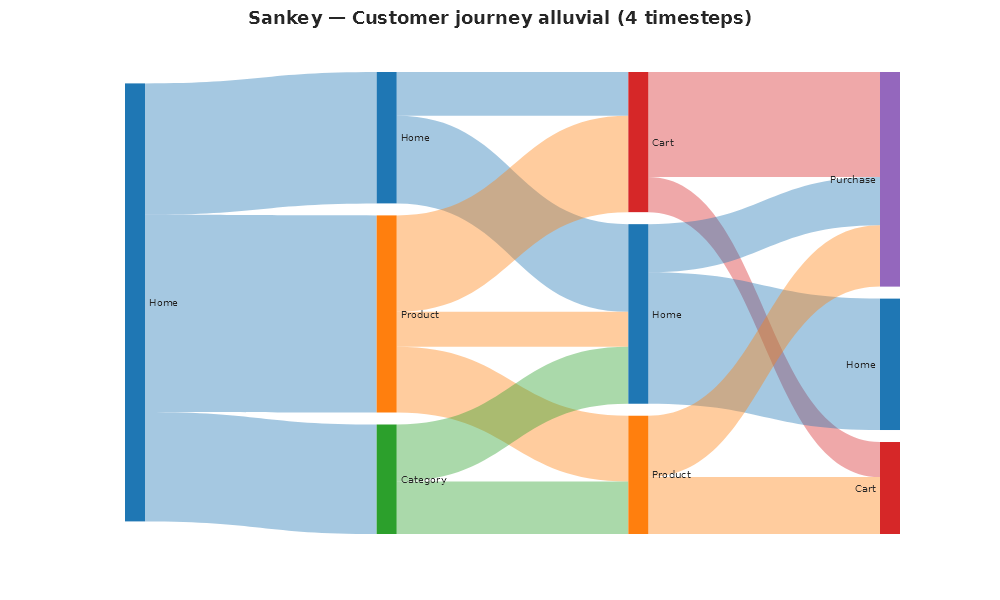
Customer journey alluvial (4 timesteps)
Explicit column pinning places the same page labels across time-steps:
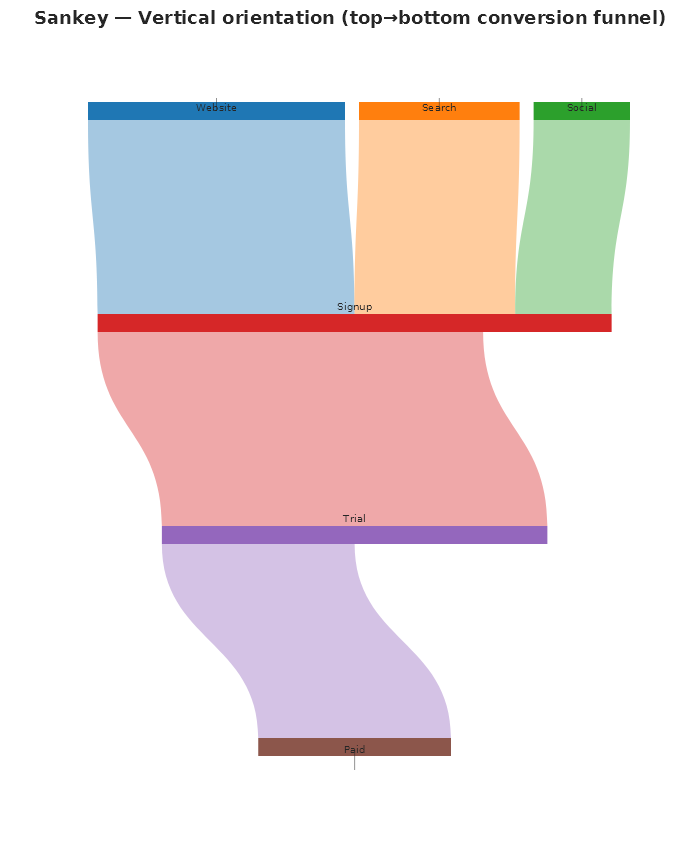
Vertical orientation (top-to-bottom)
Plt.Create()
    .AddSubPlot(1, 1, 1, ax => ax
        .HideAllAxes()
        .Sankey(nodes, links, s =>
        {
            s.Orient = SankeyOrientation.Vertical;
            s.LinkColorMode = SankeyLinkColorMode.Gradient;
        }))
    .Save("sankey_vertical.svg");
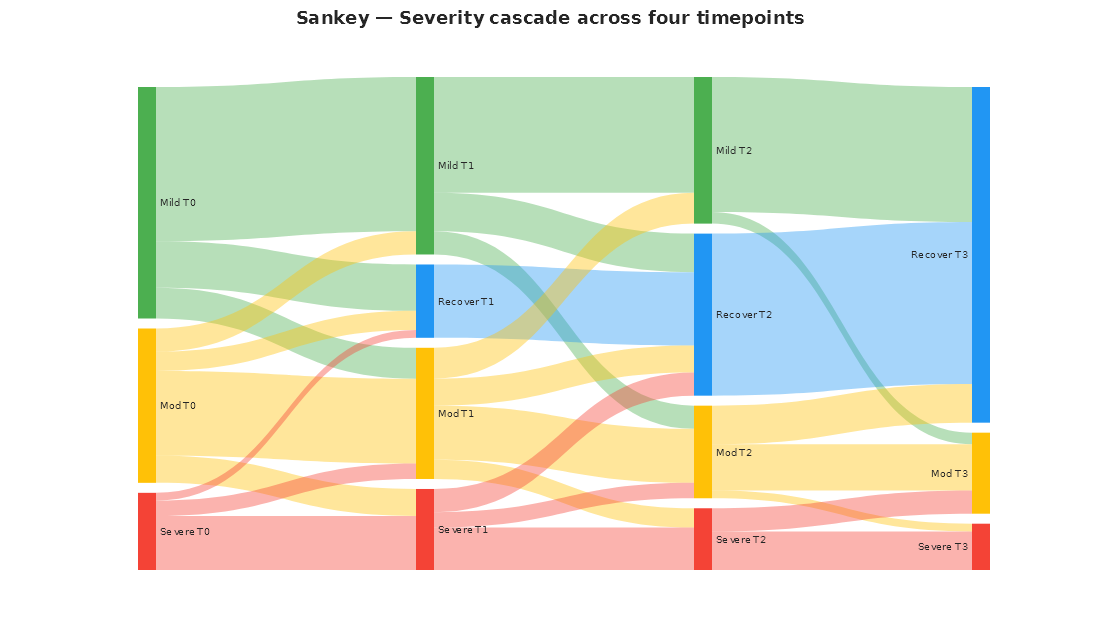
Severity cascade (4 timepoints)
This chart has dense many-to-many transitions. The relaxation iterations minimize the crossings: